네트워크 디버깅에 필요한 모든 것
하나의 아이디어로 만든 네 가지 기능 영역: Flutter 앱의 패킷까지 모두 보고, 규칙·스크립트·요청으로 자유롭게 바꿉니다.
다른 도구가 못 보는 트래픽을 보세요
Hodor는 시스템 프록시 아래에서 트래픽을 캡처합니다. 프록시 설정을 우회하는 앱(예: Flutter 앱)도 그대로 온전히 보입니다.
4개 프로토콜, 모두 캡처
기기에서 HTTP(S), WebSocket, TCP, UDP 트래픽을 캡처하세요. 도메인 필터로 관심 있는 요청만 골라 볼 수 있습니다.
Flutter 트래픽도 캡처
대부분의 프록시 기반 도구는 Flutter 앱을 잡지 못합니다. Hodor는 Flutter 트래픽을 기본으로 캡처하고 리라이트합니다.
HTTPS를 평문으로
루트 인증서를 한 번만 설치하면 모든 HTTPS 요청과 응답이 평문으로 보입니다. 앱 수정은 전혀 필요 없습니다.
LAN 캡처
같은 Wi-Fi의 다른 폰이나 컴퓨터의 프록시를 Hodor로 향하게 하면, 그 트래픽도 세션 목록에 나타납니다.
원시 바이트를 읽기 쉽게
Protobuf, Form-Data, JSON, HTML, JavaScript, CSS를 자동으로 디코드·정렬·하이라이트 — 바이너리 바디까지 읽히는 형태로.
전송 중이라면 뭐든 수정
요청을 다른 서버로 리다이렉트하고, 경로·헤더·바디를 편집하고, 응답을 위조하거나 이전 요청을 재생하세요. 앱 수정 없이 HTTP(S), WebSocket, TCP, UDP에서 모두 가능합니다.
요청과 응답 모두 편집
요청이 서버에 닿기 전에 경로·쿼리·헤더·바디를 바꾸고, 앱이 보기 전에 응답을 편집하세요.
목 & 리플레이
캡처한 요청을 언제든 재생하거나 가짜 응답을 돌려보세요. 백엔드가 존재하기 전에도 앱을 테스트할 수 있습니다.
프록시 포워딩
캡처한 트래픽(Flutter 포함)을 LAN의 mitmproxy나 Charles 같은 도구로 전달해 기존 분석 워크플로에 그대로 끼워 넣으세요.
API 테스트. 전부 스크립트화. AI에게 운전을.
기기에서 바로 테스트 요청을 보내고, JavaScript로 흐름을 자동화하고, Claude 같은 AI 도구가 트래픽을 검사하고 요청을 보내게 하세요.
빠른 요청 — 기기에서 API 디버깅
Postman처럼 API 요청을 보내고 디버그하세요. HTTP, WebSocket, TCP, UDP, gRPC, MQTT 6개 프로토콜과 환경·변수·사전/사후 스크립트·어설션을 갖췄습니다.
JavaScript 스크립팅
요청·응답·예약 작업에 자신만의 JavaScript를 끼워 넣으세요. 요청 서명, 응답 복호화, 데이터 내보내기. 암호화·해싱·저장소가 기본 내장되어 있습니다.
MCP — AI에게 운전을 맡기다
MCP는 AI 도구가 앱에 연결되는 표준 방식입니다. Claude를 Hodor에 연결하면 캡처한 트래픽을 읽고, 요청을 보내고, 디버깅 단계를 대신 수행합니다.
폰을 책상 위로
iPhone을 macOS 앱과 페어링하고 큰 화면에서 작업하세요: 캡처 데이터 조회·편집, 규칙 관리, 캡처 시작/중지 — hodor:// URL 스킴으로 자동화까지.
macOS 컴패니언
완전한 데스크톱 워크스페이스: 폰의 캡처 데이터를 큰 화면에서 조회·편집하고, 규칙을 관리하고, 캡처를 제어합니다.
URL 스킴
hodor:// URL 스킴을 통해 단축어, 스크립트 또는 나만의 자동화에서 캡처를 시작/중지하세요.
What Hodor can decrypt on Android
Hodor captures at the IP layer through a VPN, so it sees Flutter and proxy-bypassing apps. Decrypting HTTPS still depends on the target app and where the certificate lives — user cert needs no root, system cert needs a rooted device or emulator.
| Target app | User cert (no root) | System cert (root / emulator) |
|---|---|---|
| Plain HTTPNo TLS | Always visible | Always visible |
| Native app trusting user certsNSC, or targetSdk < 24 | Decrypted | Decrypted |
| Normal third-party release appNo trust declaration | Rejected → forwarded | Decrypted |
| Flutter / dart:io appsReads the system store only | Ignores user store | Decrypted |
| Certificate-pinned appsSPKI / cert pinning | Not possible | Not possible |
A debug build does not trust user certs automatically — trust is driven by NSC / targetSdk, not debuggable. Once Hodor’s cert is in the system store, Flutter (dart:io) decrypts just like native apps; only certificate pinning stays out of reach.
Capture, rewrite and script traffic directly on your phone or tablet — no computer required.
Requires Android 10 (API 29) or later — 64-bit devices only.
One-click tool that injects Hodor’s CA into an emulator or rooted device’s system store, so every app — Flutter included — is fully decrypted.
Requires macOS 12 or later — Intel & Apple Silicon.
Make every Android app decryptable in one click
HodorTrust is a small desktop utility that places Hodor’s CA into an Android emulator or rooted device’s system trust store — the one step that unlocks full HTTPS decryption for every app, Flutter included. No terminal, no manual “convert and install” commands.
Before you start
- macOS 12+ on Apple Silicon or Intel.
- One-click mode needs an Android SDK with cmdline-tools; adb is bundled inside the app.
- Developer ID signed and notarized — it opens without Gatekeeper warnings.
From a clean machine to a decryptable emulator without leaving the app — eight stages, each with its own progress and retry.
- 1Check environment
- 2Download system image
- 3Create AVD
- 4Boot emulator
- 5Gain root
- 6Install Hodor
- 7Extract CA
- 8Inject into system store
Already have a rooted phone or emulator? Connect it and inject in seconds — and remove the cert just as easily.
- 1Scan connected devices
- 2Pick the target device
- 3Inject or remove the CA
온전한 API 디버거를 내장
데스크톱 REST 클라이언트를 오가던 날은 끝. 요청을 프로젝트별로 그룹화하고, 탭 한 번으로 환경을 전환하고, 인증·서명·암호화는 스크립트에 맡기세요.
- 6개 프로토콜을 위한 그룹·환경·베이스 URL
- 3계층 변수: 환경·런타임·전송별
- 코드 없이 추출과 어설션
- 캡처한 세션을 탭 한 번으로 요청으로 변환
// 前置脚本:登录态自动注入 + 全接口加签
async function onRequest(context, url, request) {
  const token = sdk.env.get("authToken");
  const secret = sdk.env.get("appSecret");
  const ts = String(Date.now());

  if (token) {
    request.headers.set("Authorization", "Bearer " + token);
  }
  request.queries.set("ts", ts);
  request.queries.set("sign", $hash.md5(secret + ts));

  return request;
}
중요한 곳에 JavaScript를
요청 전, 응답 후, 예약 실행 세 곳에 자신만의 JavaScript를 연결하세요: 파라미터 조정, 서명, 복호화, 내 서버로 데이터 전달. 암호화·해싱·저장소 내장, 설치할 의존성 없음.
- 요청과 응답을 실시간으로 리라이트
- 요청이 끝날 때마다 데이터를 내 서버로 전달
- 5/6 필드 cron 표현식으로 작업 예약
// 重写脚本:响应落屏前自动解密
async function onResponse(context, url, response) {
  const body = response.body.parseJSON();

  if (body && body.data) {
    const plain = $crypto.decryptAES(body.data, key, iv);
    body.data = JSON.parse(plain);
    response.body = body;
  }
  return response;
}
Hodor 내부를 자세히 보기
App Store의 실제 화면 — iPhone에서 바로 캡처, 검사, 리라이트, 미리보기.
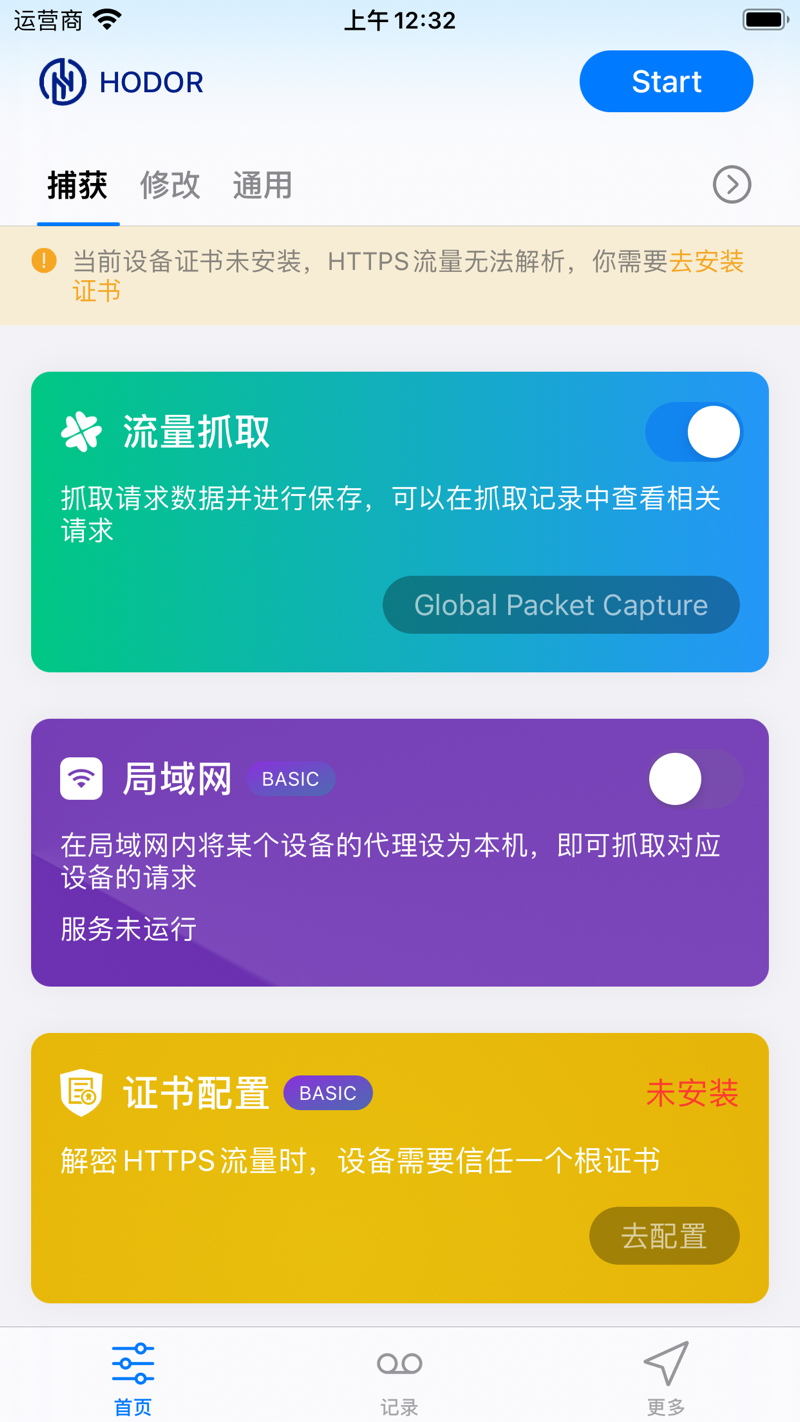
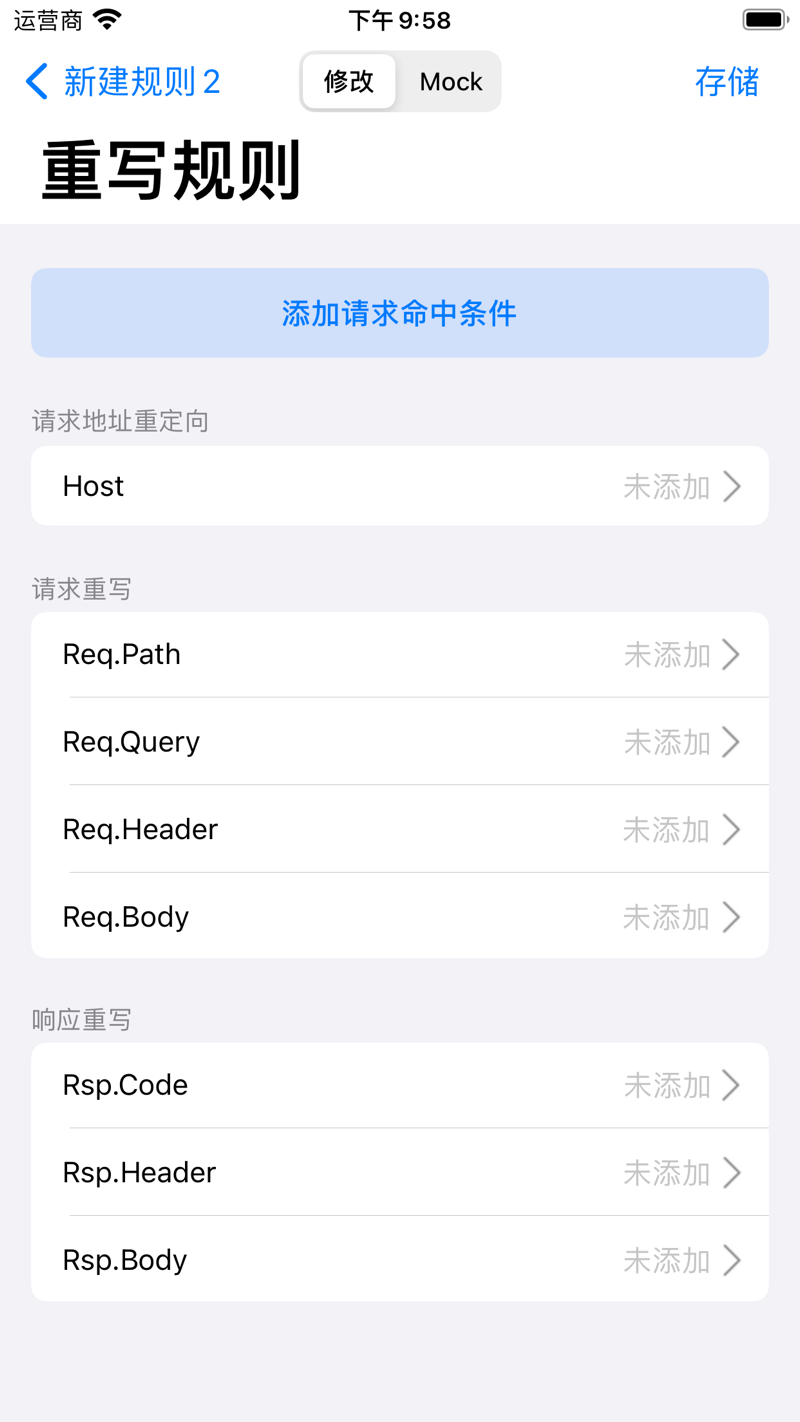
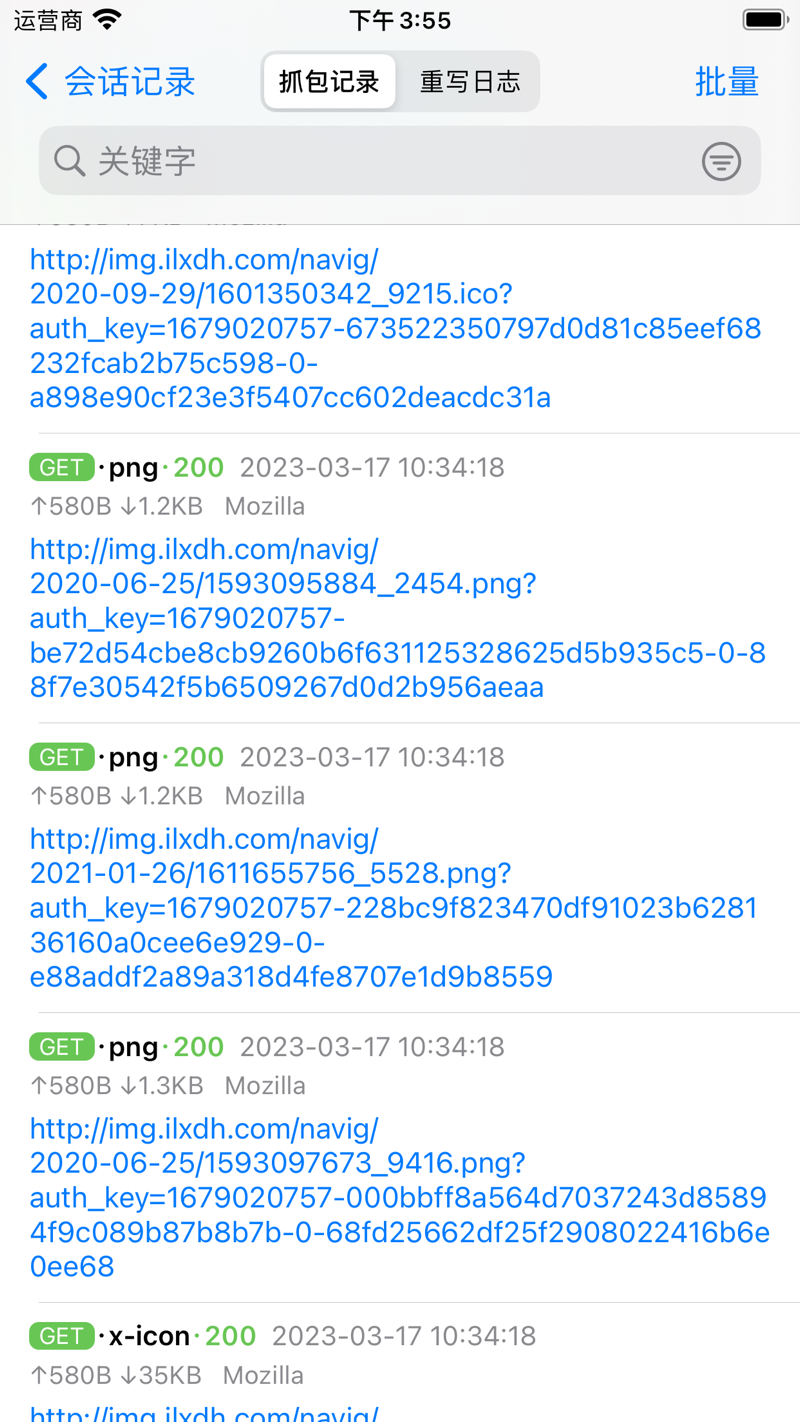
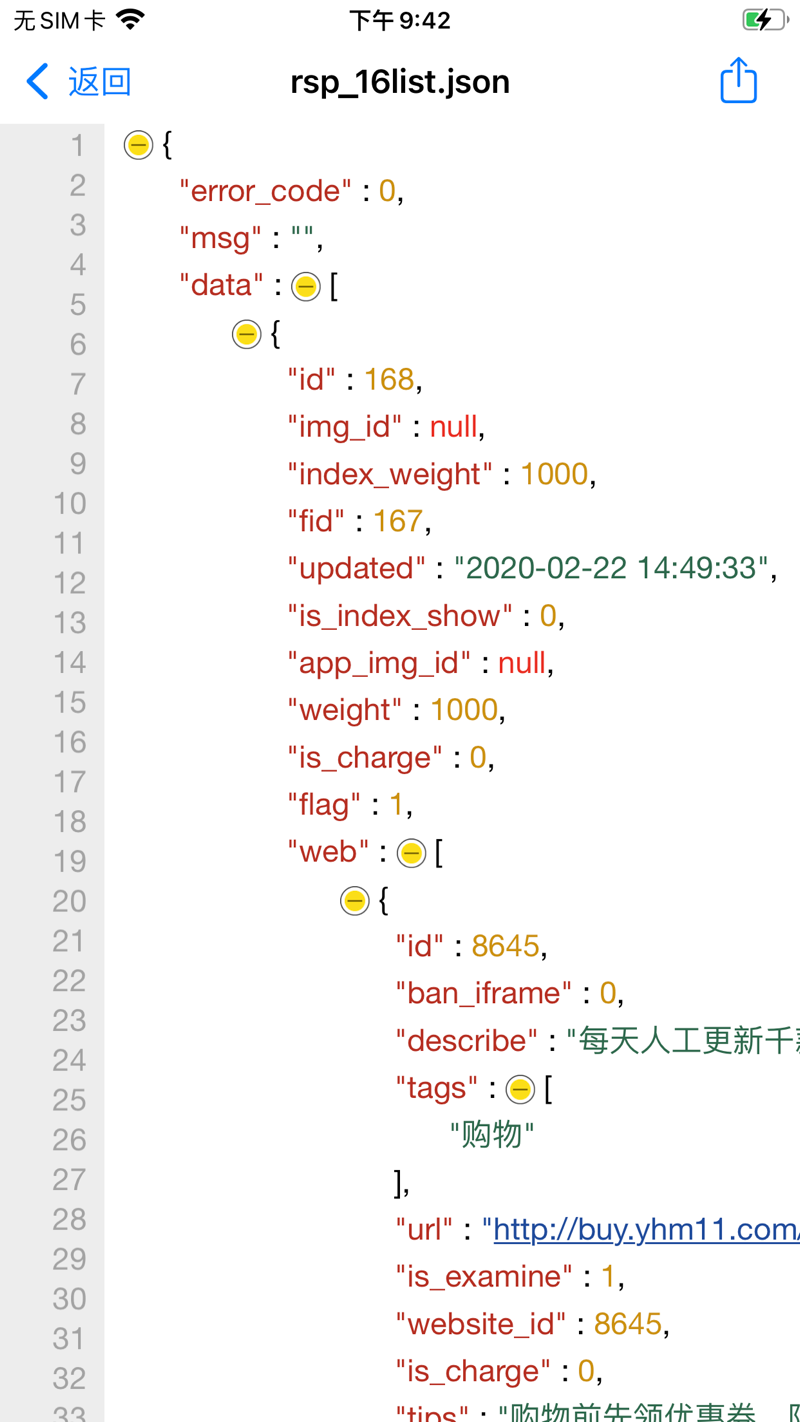
두 플랫폼, 하나의 워크플로.
iOS로 이동 중에도 캡처하고, Mac으로 옮기면 대화면 디버깅 공간 — 데이터와 규칙은 그대로 동기화됩니다.
폰에서 바로 트래픽 캡처 — 컴퓨터 필요 없음: 셀룰러나 Wi-Fi에서 HTTP(s), WebSocket, TCP, UDP를 기록하고 언제든 리라이트하세요.
Native Android capture over a VPN tunnel — record and rewrite HTTP(s), WebSocket, TCP and UDP, even for Flutter apps that skip the system proxy. Pair with HodorTrust to fully decrypt HTTPS on an emulator or rooted device.
회선에 흐르는 트래픽, 볼 준비 되셨나요?
Hodor로 더 빠르게 디버그하는 개발자들에 합류하세요 — 다른 도구가 못 보는 트래픽을 캡처하고, 규칙과 스크립트로 바꾸세요.